​
Showing posts with label mac. Show all posts

Tuesday, 25 July 2017

Counter Strike 2D for Mac

Counter Strike 2D for Mac


Counter-Strike 2D is a free 2 dimensional clone of the popular 3D multiplayer FPS Counter-Strike series. The game is very fast-paced and has many weapons and equipment to choose from, there is also new and unique selection of weapons such as: portal guns, lasers, RPGs, turrets more.


System Requirements

Mac OS X 10.5 or newer
Intel powered Mac
256 mb 3D video card with OpenGL support
1 GB RAM
30 MB free disk space

Free download at cs2d.com
{ Read More }


Sunday, 2 July 2017

Crowns and Shadows for Mac

Crowns and Shadows for Mac


Crowns and Shadows is a free and open-source turn-based-strategy (TBS) game of global and political domination. Build a network of allies for economic and political capital, establish military dominance by raising vast armies, send spies and assassins to influence the leadership of other houses, expand your familys empire to become a governing power.


System Requirements

Mac OS X 10.6 Snow Leopard or newer
Intel powered Mac

Free download at sourceforge.net
{ Read More }


Saturday, 1 July 2017

Crimson Fields for Mac

Crimson Fields for Mac


Crimson Fields is a free and open-source tactical war turn-based-strategy (TBS) game based on the 1990s Battle Isle game series by Blue Byte Software. Using Battle Isles traditional hexagonal grid map, where you command your army and use your strategy to defeat your enemy. You can play multiplayer against a human opponent in hot-seat mode in front of the same machine, over a network, or via e-mail, or against the computer in single player mode.


System Requirements

Mac OS X 10.4 or newer
Intel powered Mac

Free download at crimson.seul.org
{ Read More }


Saturday, 17 June 2017

CrossOver 14 1 11 для Mac OS

CrossOver 14 1 11 для Mac OS


 CrossOver 14.1.11 ??? Mac OS - ?????????, ??????????? ????????? ?????? ??????????, ?????????? ??? ?? Microsoft Windows ? Mac OS X, ?????? ??????? ??? ???? ????????????? Windows ?? ?????????. CrossOver ?????????? ?? Wine ????? ????? ???????????????: ?? ??????? ?? ????????? ???????? ?????????????? ??????? ? ???? ?????????? Windows, ????? ??? Microsoft Office ?????? ??????, Microsoft Internet Explorer, Lotus Notes, Adobe Photoshop ? ??????. ?? ???? ????????????? ? ????? ???????????? ????????? ??????????? ? ????????????, ??? ??? ?? ?????? ?????? ?????? ??????????, ??? ? Wine.

? ???? ?? ??????????? ???? ????????? ??? ( CXRossiya ) ?? ?????? ?????????? ?????????????? 25% ?? $20.95 ????.
{ Read More }


Saturday, 10 June 2017

Converting very old file formats to a more modern file format wot WPMacAPP on your Mac running 10 11

Converting very old file formats to a more modern file format wot WPMacAPP on your Mac running 10 11


I�ll cut to the chase here. If you use a current Mac with OS X 10.11.x and you want to convert a bunch of old Word 5.1a for Mac or WordPerfect 2.x for Mac files into a Word 97-2004 .doc file that Word 2016 can read, then you need to download WPMacApp from Edward Mendelson�s Website, wpdos.org.

�

You go here to get to the page on WPDOS.org with the specific WordPerfect on Mac information. This site covers just about every instance of WordPerfect, Wordperfect for DOS in particular, on MS-DOS, Windows, Macintosh, and Linux. So you could get lost. Just look at the top for links to the various pages on the site.�

READ THE INSTRUCTIONS MR. MENDELSON HAS POSTED ABOUT USING THIS APPLICATION WITH OS X. YOU HAVE TO MAKE TEMPORARY CHANGES TO THE SECURITY SETTINGS BEFORE IT WORKS.�

This page does not have a big obvious icon for you to click on to download this app. The link is the second item down on a bulleted list. It says in bold text Download the disk image file�(Warning: About 530 MB)


Please Look here for WPMacAPP

Mr. Mendelson� has included WordPerfect for Mac 1.05, WordPerfect for Mac 2.1, WordPerfect for Mac 3.5, and WordPerfect for Macintosh 3.5e,� and WordPerfect Works for Macintosh 1.2 and the Envoy app, which competed with Adobe Acrobat.

That covers it for WordPerfect for Mac apps. As for Word for Mac, he includes an installation of Word for Mac 5.1a. Look in the Applications folder on the WPMac HD volume.�

You�ll also find MacLink Plus 11, which can convert a wide range of documents and images that you may have on your system and didn�t know what to do with. Archaic WordStar files? MacLink Plus can convert it into Word 97-2004 format. Old images files in ZSoft .pcx format? Again, MacLink Plus can convert it into JPEG or PNG format or GIF format, which your Mac�s Preview app can read.�

Finally, can you install Appleworks 6 from your old iMac G3 CDs? Yes, you can.�

Just copy the installer app, about 27 mega bytes in size, over to your /Users/<Username>/Documents folder. From there, copy the installer over to the WPMac HD virtual hard drive icon in the upper right-hand corner of the window from the Unix virtual hard drive icon.

The Unix icon is really just a link to the folder on your Mac chosen by WPMacApp to serve as the conduit between your emulated old Mac and your physical new Mac.�

Appleworks 6 installed. WPMacAPP quit upon finishing installation. I restated. After rebuilding the desktop, all is fine. Using the already installed MacLink Plus 11, I can import and export in a wide variety of formats.�

That�s my brief introduction to reading very old file formats on your Mac through the use of WPMacApp. Go at it! And Donate to Mr. Mendelson if you use some of his work. He�ll appreciate it.�

Tom Briant

Editor, MacValley Blog

�

{ Read More }


Monday, 29 May 2017

CrossOver Mac and CrossOver Linux sale going on now

CrossOver Mac and CrossOver Linux sale going on now


We will be having a CrossOver Mac and CrossOver Linux sale going on until October 31st 2016 this sale price is only $19.95 for a 1 year activation key / serial number. We only sell activation keys and CrossOver is a digital download only. Simply click on one of the links below to get your copy of CrossOver before this sale ends.

CrossOver Mac and CrossOver Linux can get your Windows productivity applications and PC games up and running on your Mac or Linux machine quickly and easily. CrossOver runs the Windows software that you need on Mac and Linux at home, in the office, or at school without purchasing a Windows license, without rebooting your computer, and without having to use a virtual machine. And CrossOver can run a wide range of Windows games and entertainment applications.

https://crossover.ecwid.com/#!/CrossOver/c/21096476/

A brief overview of CrossOver Mac.

CrossOver Mac is a powerful and useful Mac OS X application that enables you to easily install and run the desired Windows productivity applications or PC games on your Mac with just a few mouse clicks.


Provides you with an easy to install environment for running a huge selection of Windows applications on your Mac


The best thing about CrossOver Mac is that you can enjoy various Windows software on your Mac at home, in the office or at work without purchasing a Windows license.In other words, you do not have to go to the trouble of installing a Windows virtual machine or creating a Boot Camp partition on which you can install a Windows copy. The fact that you do not need to reboot your system to logon on a different operating system or share your resources with a Windows virtual machine translates into a faster and smoother application usage.

Extensive list of supported Windows programs and support for running a multitude of others that havent yet been tested


CrossOver Mac comes with support for a long list of Windows programs and games, you can visit CrossOver Mac�s support page and view What Runs on CrossOver. Additionally, you can access the CrossOver Software Installer and search for the desired application using the built-in search form.
What is more, you can configure CrossOver Mac to install certain programs or games via specific installers and into the desire Bottle. The Installation process will guide you through the necessary steps to deploy your software.

Powerful and handy tool that enables you to use virtually any Windows program on a Mac


CrossOver Mac is easy-to-use and kind to your Mac�s resources, and provides a simple and clean user interface. From CrossOver Mac�s main window you can choose between two simple options: �Install Windows Software� and �Run Installed Software�.
As expected, the first option takes you to the above mentioned CrossOver Software Installer window from where you can install the programs you need while the second option enables you to run the installed programs.

About CrossOver Mac


CrossOver Mac is a commercial product that provides Mac OSX users with an easy way to install various applications and games that run only on the proprietary Microsoft Windows operating systems. Technically, the application is a GUI (Graphical User Interface) front-end for the well known Wine software, which provides a set of APIs and libraries to emulate several Microsoft Windows OSes on top of your Mac operating system.

Features at a glance


By default, the program comes with support for a very large selection of Windows applications, allowing users to install and use them without the need for a Microsoft Windows license. However, this does not mean that you won�t have to own a specific software license. It is distributed as a binary packages that supports Mac OSX 10.8 or higher.

Supported Windows applications 


Considering the fact that CrossOver is just a simple user interface for Wine, it comes with support for all the applications that can be installed by the latter, such as the entire Microsoft Office 2010/2007/2003/XP/2000/97 suite, including Microsoft Word, Microsoft Excel, Microsoft PowerPoint, Microsoft Outlook, and Microsoft Access.Among some other Windows-only applications that can be installed by this software, we can mention Internet Explorer, MicrosoftProject, Adobe Photoshop, Lotus Notes, Microsoft Visio, Quicken, FrameMaker, Shockwave Director, QuickTime, Windows Media Player, as well as numerous games.

{ Read More }


Tuesday, 9 May 2017

Could Apple make Mac laptop buying any more confusing

Could Apple make Mac laptop buying any more confusing


The Mac laptop line, following todays new announcements, looks lots less like Apple and more like Compaq�where Tim Cook worked much earlier in his career, incidentally, long before the original IBM PC clone-makers demise. Confusing. Complicated. These are apt descriptions that might just send the ghost of Steve Jobs skyward on either�take your pick�Halloween or Day of the Dead.
 
Among Apple cofounders first tasks when returning to the chief executives chair in 1997: Simplifying product families. Jobs cut the deadweight, surprising many people by killing off Newton, for example. Complex product lines define Apple under successor Cook, by contrast.
 
Gauging only by base models, without enclosure hues, Apple offers 11 different laptop SKUs: Two 12-inch MacBook (times four color combinations); two 13-inch MacBook Air (one color); four 13-inch MacBook Pro (three two-colors); and three 15-inch MacBook Pro (two two-colors). Granted, rivals like Lenovo offer way more SKUs. But the Chinese manufacturer isnt Apple and the expectations that come with the name.
 
Problem isnt so much number of base models�before they can be configured, adding many more�is the overlap of prices and capabilities among the different Mac laptops.
 
MacBook Pro 13
 
The cheapest MacBook Pro 13 is $1,299 for 2.7GHz Intel i5 processor, 8GB RAM, 128GB SSD, and Intel Iris Graphics 6100. But, wait, thats an older model. To get the new thang announced today, price is $1,499�and thats without the hottest new feature: TouchBar.
 
You do get a 2GHz Core i5 chip, 256GB SSD, Iris Graphics 540, brighter display, and newfangled Butterfly keyboard. But some buyers should rightly wonder why a 2GHz laptop costs more than a 2.7GHz one. Apple could argue its a generational thing between Intel chips, and addition of extras like double the storage and thinner design. Something else: You keep your USB ports on the older and lose them on the newer (in favor of Thunderbolt 3 ports). Buy more, and you pay more to add adaptors and dongles, too.
 
What I have long called the Apple Pay-more Principle applies. The current generation MacBook Pro 13 sold for $1,299 yesterday�and core capabilities were same as costlier models. Thats no longer the case. Entry-level is now last-years MBP, and something newer costs $200 more. But dont be confused, and mistakenly buy the $1,499 model wanting TouchBar. To get the newest tech, the starting price is $1,799, making the true entry level $500 more than before todays big Apple media event.
 
For that $1,799 you get 2.9GHz Core i5 processor, 8GB RAM, 256GB HD, Iris Graphics 550, TouchBar and TouchID, and four Thunderbolt 3 ports. Honestly, for this price, 8 gigs is stingy. Doubling the storage costs $200 more. The three costlier MBPs are available in two colors, space gray and silver, while the $1,299 laptop is silver only.
 
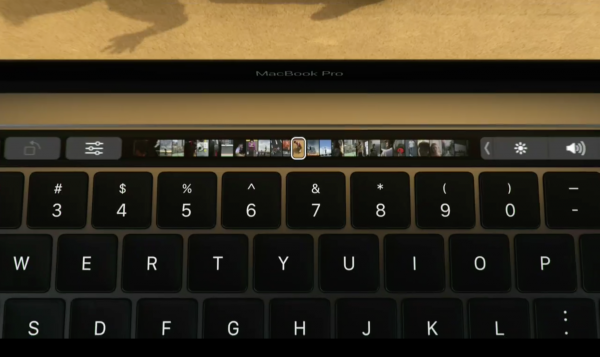
MacBook Pros compelling new feature is the TouchBar.
 
MacBook
 
Speaking of that price, and some buyer confusion, is 12-inch MacBook, which also starts at $1,299, but is grossly underpowered compared to MBP 13: 1.1GHz Core m3 processor, 8GB RAM, 256GB SSD, and Intel Graphics 515. Before todays new laptop unveiling, small size, display quality, and Butterfly keyboard were capabilities that set apart MacBook. Thats still true when comparing entry-prices, given the 2.7GHz MBP is vintage March 2015 and is 14 percent larger and consumes 20 percent more volume than its successor.
 
Jump up in price to $1,499 and 13-inch MBP looks lots more attractive than the high-end 12-inch MacBook selling for $100 more. MBP now has a next-generation Butterfly keyboard and super-bright screen, all packaged into a considerably smaller enclosure. Neither laptop has the TouchBar. MacBook config: 1.2GHz Core m5 chip, 8GB memory, 512GB SSD, and Intel Graphics 515.
 
MacBook is lighter at 2 pounds, versus 3 lbs for MBP 13 but bulk and breath matter more. Comparative sizes: .52 x 11.07 x 7.74 inches versus .59 x 11.97 x 8.36 inches, respectively. Size is no longer much of a differentiator.
 
MacBook Air
 
Comparing screens, at 13 inches, there also is MacBook Air, which costs considerably less. Starting price is $999 for 1.6GHz Core i5 processor, 8GB RAM, 128GB SSD, and Intel Graphics 6000. This is Apples value laptop, if you dont mind non-Retina Display. Before todays MBP announcement, the Air filled a niche for thin-and-light 13-inch Apple laptops. No longer. Price is its only compelling attribute�and only below $1,000.
 
The costlier $1,199 config is a real loser compared to $1,299 MBP 13, which weighs about the same but is smaller, while offering many more benefits, such as better screen, keyboard, processor, and speakers. MBA measures .68 x 12.8 x 8.94 inches. Why not pay another 100 bucks and get so much more from MBP 13? Some confused buyers may not see the difference.
 
MacBook Pro 13 (right) is smaller and thinner than MacBook Air.
 
There are good reasons to ask why Apple offers either 12-inch MacBook or MBA 13. Apple knows. During todays keynote, Phil Schiller, who heads up marketing, explained the rational for the $1,299 Pro without TouchBar: "We think that a lot of potential MacBook Air customers will be very excited about this product, too". He then went on to basically make a sales pitch for MBP 13, by pointing out the size advantages�12 percent thinner and consuming 13 percent volume than the Air. He described MBP 13 as "smaller" and "better in every way".
 
MacBook Pro 15
 
MacBook Pro 15 stands apart from the other laptops such that most buyers shouldnt be confused. The laptop is considerably larger than the others, packs dedicated graphics, and is considerably more expandable with respect to external devices, like monitors. There is price differentiator, too: $2,399 and $2,799 base models.
 
That said, the Pay-more Principle once again applies. Like MBP 13, yesterday the entry-level 15-inch MacBook Pro offered same core features as the higher-end models. No longer. For the same $1,999, buyers get vintage May 2015 laptop with 2.2GHz Core i7 processor, 16GB RAM, 256GB SSD, and Iris Pro Graphics. The newest thang now costs $2,399, which arguably is 100 bucks less than what it replaced. Config: 2.6GHz Core i7 chip, 16GB RAM, 256GB SSD, and Radeon Pro 450 graphics. All the goodies come too: Butterfly Keyboard, TouchBar and TouchID, etc. A $2,799 model doubles the storage, notches up to 2.7GHz chip, and bumps up to 455 graphics.
 
MBP, like Microsoft Surface Book targets a creative professional with specific computing-task needs. The buyer pays more and gets more, and benefits for the capabilities are clearer. However, Apple laptops with small screeners and lower selling prices crowd together, presenting somewhat confusing benefits for the cost.
 
Imagine the savings that Apple could pass on to customers or higher margins to its bottom line by streamlining manufacturing to MacBook Pro 13 and 15�particularly at a time when PC sales are falling. During Q3, shipments fell for the eighth consecutive quarter, according to Gartner. The new MBP makes the Air obsolete and gives little compelling reason to buy 12-inch MacBook. Theyre both dead weight.
 
Keep Steve Jobs ghost in the grave and simplify, Apple.
 
Image Credit: Creativa Images / Shutterstock
 
~ Joe Wilcox
{ Read More }


Sunday, 16 April 2017

Create two page per sheet pdf file on Mac

Create two page per sheet pdf file on Mac


What I had: a pdf file with rather small pages i.e. when printing in original size there was a lot of white boundary around the page.
What I wanted: a new pdf file containing only a subset of pages and with two pages per sheet instead of just one.

Now this didnt sound complex but I found that I needed to take a couple of tries on my Mac until I finally got it going.

First try: Acroread
When using acroread to view the pdf file and Print to print the selected pages with the Save as PDF option I get a complaint:
Saving a PDF file when printing is not supported, choose File > Save.
And File -> Save does not support to save just a selection of pages (this is Adobe Reader 9.4.0).

Second try: Preview
Of course the alternative to acroread is Preview (version 4.2) and its Print function allowed to select pages and save them to pdf. Only issue: I could not get the Layout changed to have two pages per sheet, I tried various settings but I always ended up with one page per sheet.
Which lead to the

Third try: Preview via PostScript
Again I was using Preview as before but this time I was using Save as PostScript.... The resulting file can be viewed again in Preview, it gets converted to PDF and it finally showed what I wanted: two pages per sheet, only the pages I wanted. Another Save and I got my new pdf file.

So sometimes supposedly easy things take longer than anticipated, thats where your time goes :-)

And just for my own reference here are the settings again:
I didnt change anything in the top part except for page selection so paper size A4, orientation portrait and scale 100%.
In preview I kept Automatically rotate each page and ticked Scale each page to fit paper. In Layout I set Pages per Sheet to 2, left the orientation unchanged (from top-left, top-right, bottom-left, bottom-right) and ticked Border Single Hairline just to get a little visual cue and separation.
And also note that the little Print preview does not show the layout, you always have to create the new file first and then youll see whether your changes have any effect. 

Note: Print options in Preview differ by file type. When you open an image file in Preview there is indeed an Images per page option but this is absent when opening a pdf file so therefore my need for the detour. Id welcome any simpler solution.
{ Read More }


Tuesday, 11 April 2017

Crab Cakes Rescue 2014 for IP PC MAC fast download

Crab Cakes Rescue 2014 for IP PC MAC fast download


Crab Cakes Rescue 2014


Poster Assassins Creed Unity���

Date:
�
2014�

OS:
�� IP PC MAC
�

Genre:� Puzzle

Publisher:� Mission Critical Studios, KISS Ltd.


Uploader:� kurt


Description for Crab Cakes Rescue


���


DOWNLOAD GAME


�


Game Screenshots


not screenshots


Review of the game Crab Cakes Rescue


Graphical advantages include gloomy dungeon room, but the outbreak of fire, which would be to create Vrenna shots on his enemies. Nick is no less like a predator than colored mutants for others, which makes the game even more interesting.


Crab Cakes Rescue No Dvd������ Crab Cakes Rescue.zip�� Play the game Crab Cakes Rescue full version�

Game
Crab Cakes Rescue for� IP PC MAC�


Game Crab Cakes Rescue� Download 2014

�Full Rar Game Mission Critical Studios, KISS Ltd. Crab Cakes Rescue


2014 - How To Download | Crab Cakes Rescue | IP PC MAC


Where to download game Crab Cakes Rescue


FAST SPEED DOWLOADING Ledgewood NJ, USA - LINK GAME FOR IP PC MAC


{ Read More }